
FrontRx
User Guide — Settings and data governance
Document generated on July 9, 2026
Settings and data governance
Settings is where you manage your profile, security, preferences, and how long your data is kept. Open it from your profile menu.
Profile and security
- Update your signature, personal fax number, and phone number, each with its Edit button.
- Change your password from the account section, and complete identity verification if prompted.
- Delete your account from the account section if you choose to; this permanently removes your data.
Preferences and note defaults
- Set the appearance (light or dark) and the application language.
- Choose your default note template, note format, detail level, and whether to use abbreviations.
- Reset the tutorial to run the onboarding walkthrough again.
Data retention (data governance)
- Set how long inactive patient lists are kept before they are emptied.
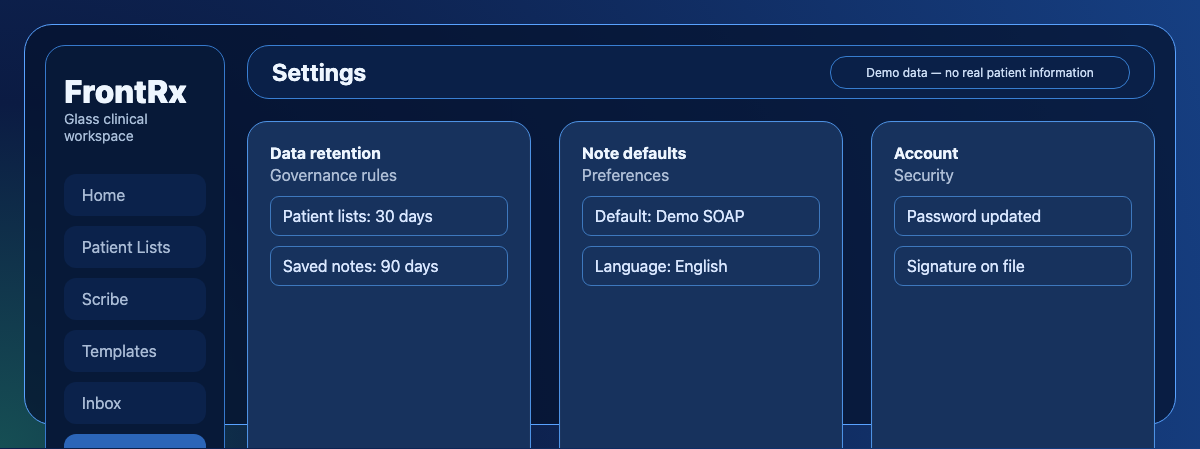
Synthetic demo Settings page: data retention rules for patient lists and notes, plus profile and account options. - Set how long inactive saved notes are kept before they are emptied.
- These rules apply automatically to your account.

Contact Us
Fill up the form and our team will get back to you within 24 hours


Your information is protected.
Made in Québec, Canada with ❤️
Various trademarks held by their respective owners.
Copyright 2025-2026. All rights reserved.
